All your mixes and masters in one place.

A desktop app for producers, mixing and mastering engineers. All the work done in your studio, and your references, in one library where you can organize, review and compare it, with useful audio measurements of each track or album.

Buy now €59macOS and Windows · Desktop app
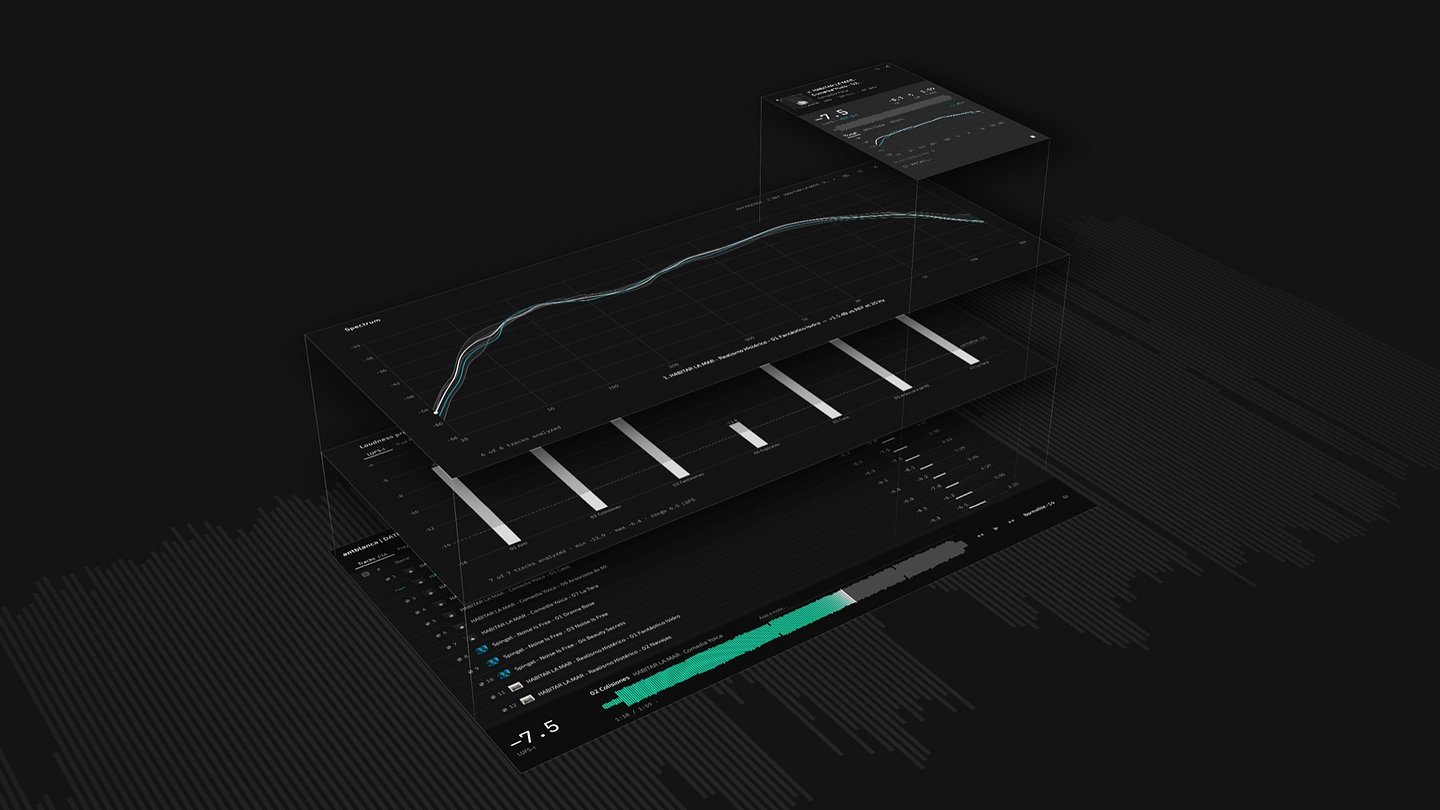
The DATUM interface separated into layers: track list, loudness bars, Spectrum and an info card
Why DATUM

I made DATUM to keep all my work in one place and get to it quickly and directly. It speeds up tasks I was doing by hand in my own studio: finding mixes and masters among folders, checking the loudness of an album, comparing it with a reference, remembering the gear I used.

Organize

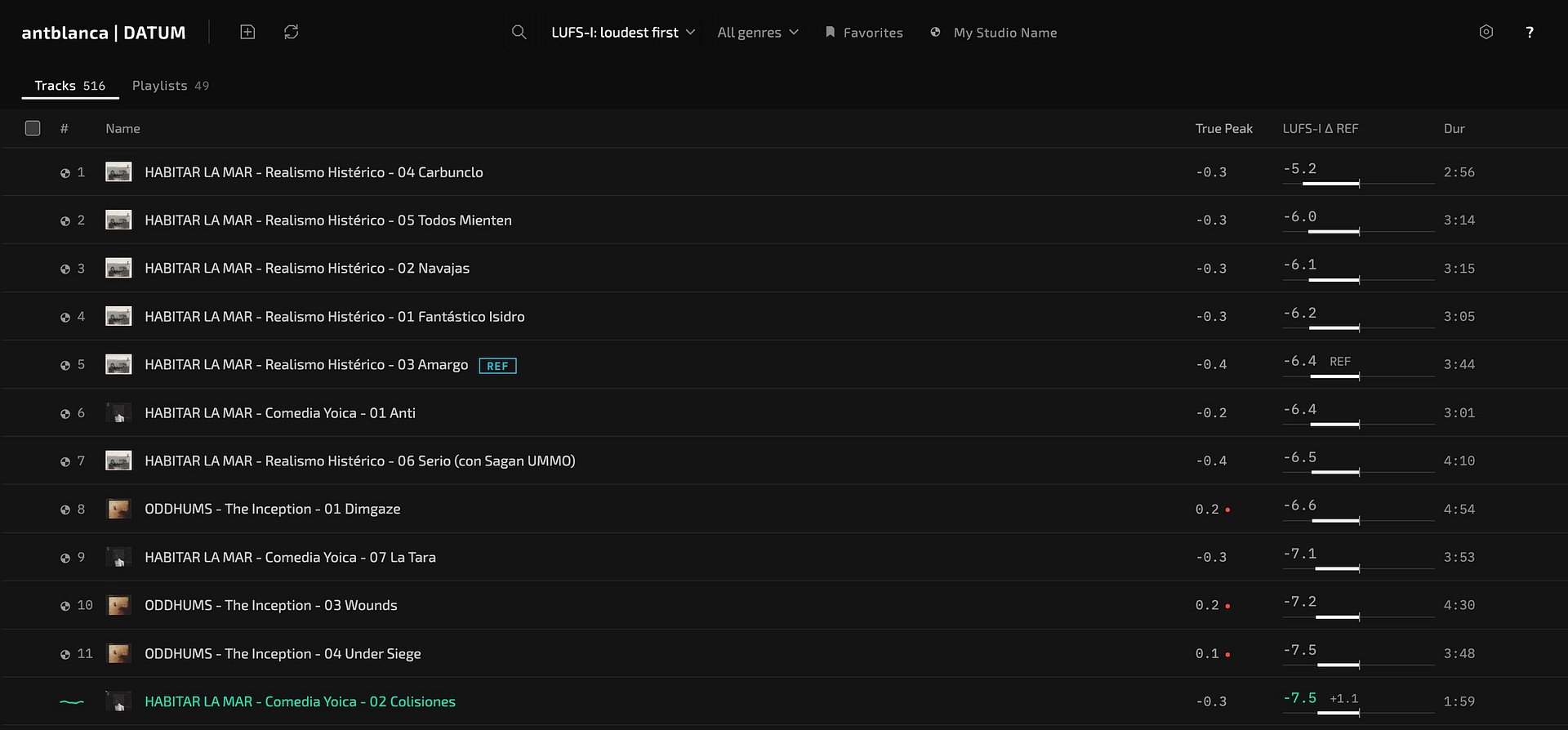
Add the folders where your work lives and see it all in one list, with your references. Sort the whole library by what you measure: loudest or quietest first, highest True Peak, most dynamic, widest. Mark what comes from your studio to show it on its own, and group tracks into playlists. Your audio is not copied, and if a drive is unplugged its tracks stay in the list.

Track library with search, filters and a column of measurements

Track by track

See the measurements of any track and the gear you used on it, and listen at the level you choose.

Info cards

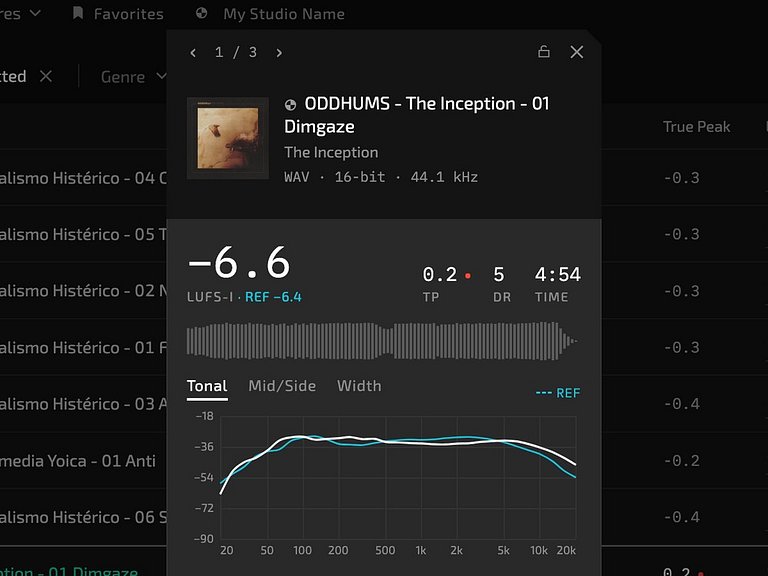
Info card open over the track list

A very fast way to explore the properties of one track or several, without leaving the list: loudness, tonal balance against your reference, mid/side, width and the gain on each streaming platform. With several tracks selected, step through them one by one.
Recall

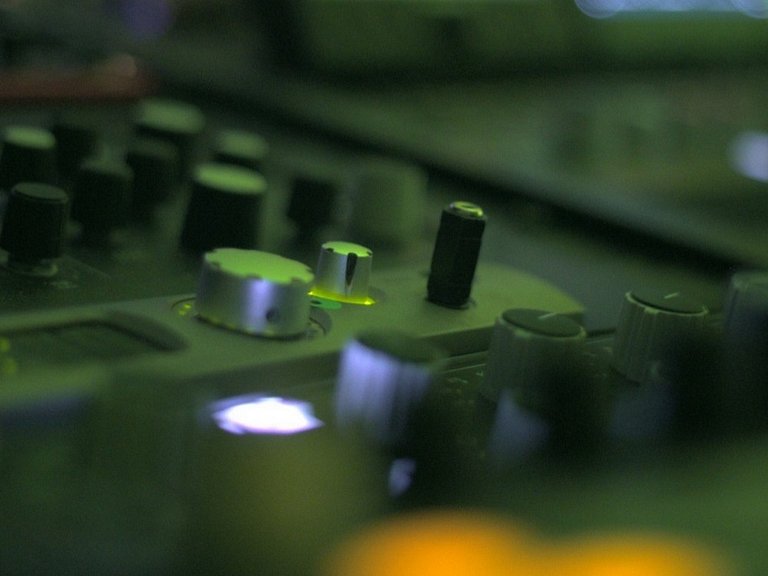
Recall window with a studio photo

Add photos of your gear and screenshots of your plugins to each song, with the chain step by step and your notes. Ideal for revisions.

Monitor

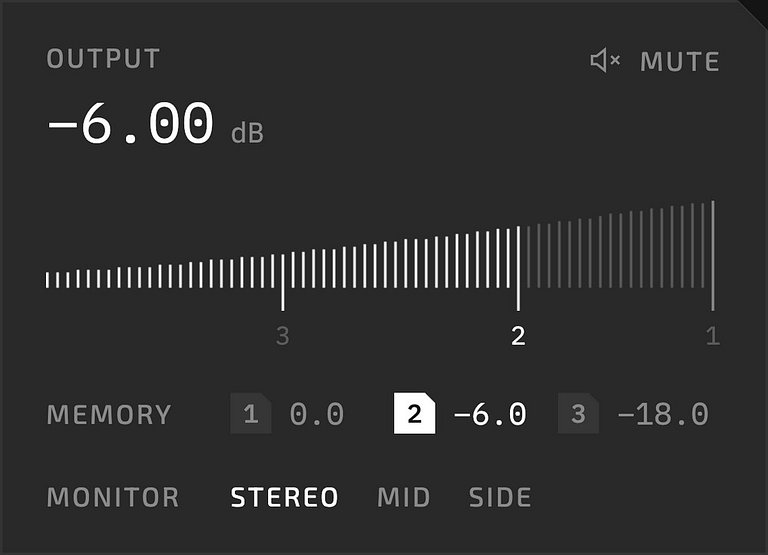
Output panel with level, three memories and monitor modes

Volume control with three configurable memories for your listening levels, and Stereo, Mid and Side monitoring.

Check consistency

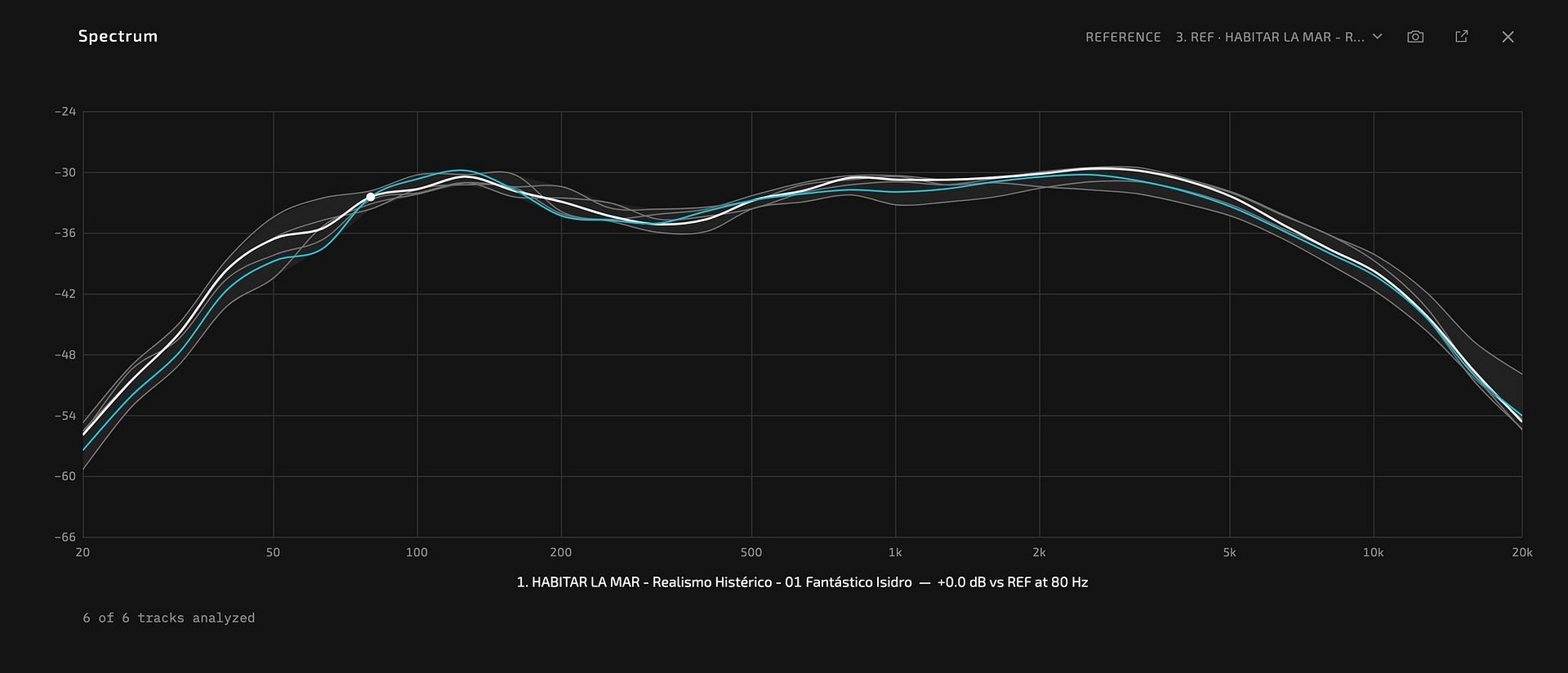
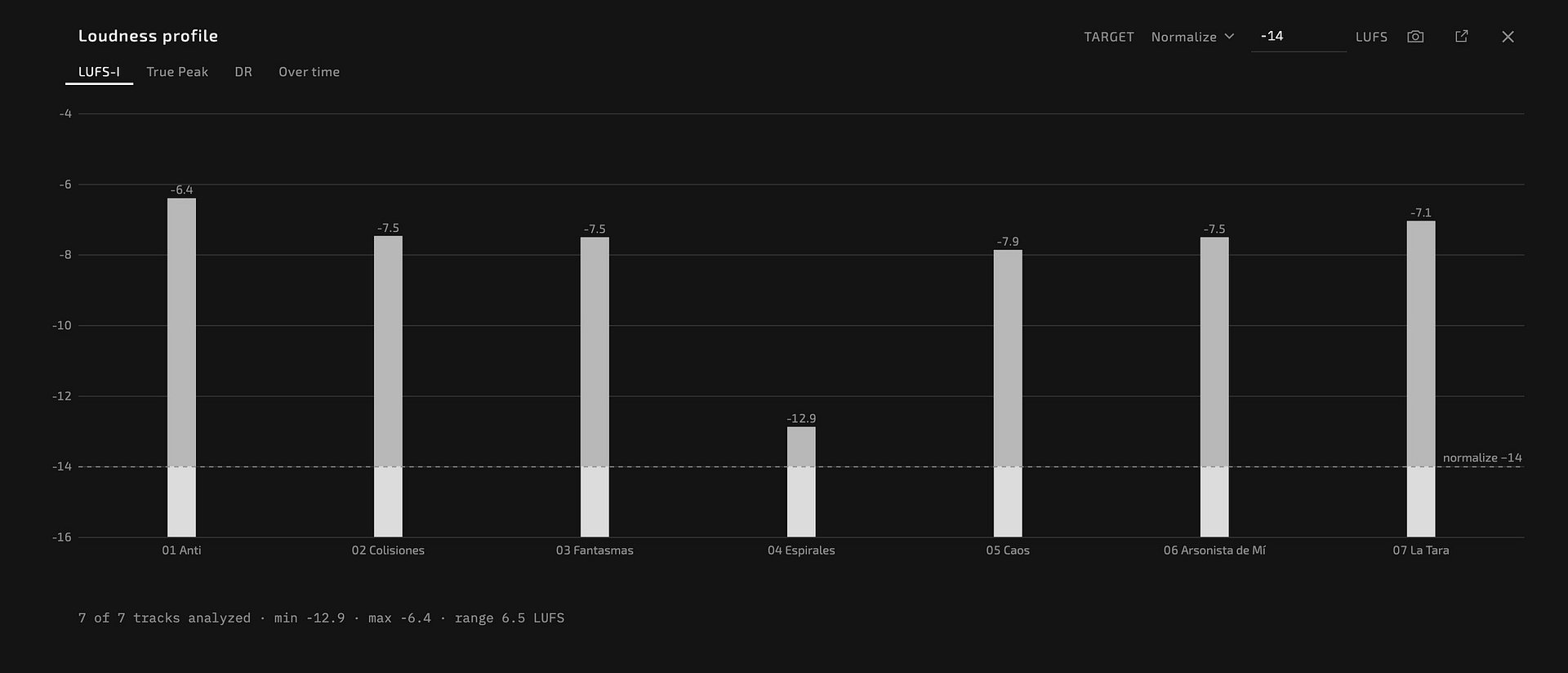
Unlike a regular music player, DATUM measures what you listen to. Visualize an album as a whole: its loudness range, and how the tonal balance of each track sits against the others. Play your tracks at the same level, normalized to the common streaming targets, against each other or against a reference, and see how they differ.

Spectrum view comparing the tracks of an album with a reference curve
Spectrum: visualize the tonal balance, loudness-matched. Move the pointer over a curve to highlight it and read its difference from the reference.
Loudness profile: bars for ten tracks with a target line at −14 LUFS
Loudness: visualize each track against the target, here −14 LUFS. Also True Peak, DR and loudness over time, and the gain each streaming platform would apply.
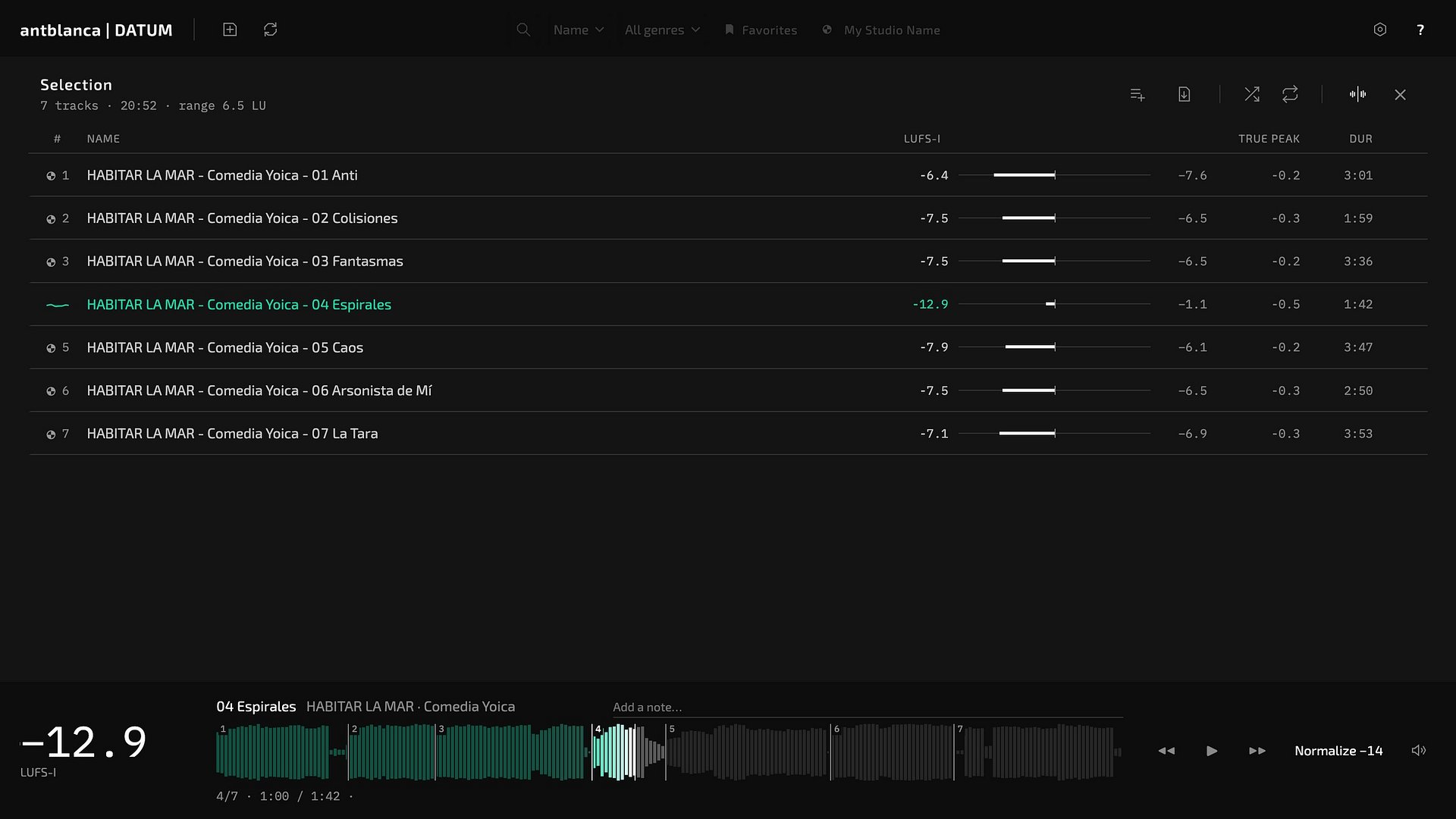
Seven selected tracks shown as one numbered waveform in the player
Sequence: visualize an album or selection as one waveform. Jump to different points to hear how the tracks sit together.

Also included

  • Stereo Scope: floating window with goniometer, correlation and balance
  • Notes, ratings, genres and favorites on every track
  • Playlists in list or grid view, with a loudness fingerprint
  • Minimal interface in a single window, with customizable colors
  • Long files and large libraries; analysis can be stopped and resumed
  • Undo for every change to the library
  • Keyboard shortcuts for playback and navigation
  • PDF with the measurements of an album, to attach when you deliver it or to check at any time

Requirements

Mac
macOS 12 Monterey or later. Apple Silicon or Intel.
Windows
Windows 10 or 11, 64-bit.
Memory
8 GB recommended.
Disk
About 500 MB. Your audio is not copied.
Formats
WAV, AIFF, FLAC, MP3, OGG, Opus, M4A, AAC.
Languages
English, Spanish, German.

Questions

Does my audio leave my computer?

No. Files are analyzed on your computer and are not uploaded.

Is it a plugin?

No, it is a standalone desktop app.

Does DATUM edit my audio?

No. It reads your files to measure and play them, and never changes them.

Is it a streaming platform?

No. DATUM is a desktop app for the audio files on your own computer. It doesn't host or stream music, and your files stay where they are.

How many computers can I use it on?

[TO CONFIRM: licence terms]

Are updates included?

[TO CONFIRM: update policy]

Is there a trial or a refund?

[TO CONFIRM: trial and refund policy]

Part of the antblanca Mastering Tools